There’s a moment most people hit at some point.
Everything works perfectly inside. The TV streams without a hiccup, music plays instantly, and your phone is lightning fast. Then you step outside, maybe onto the patio or out toward the pool, and suddenly… things get spotty. The video buffers. The music cuts out. Your phone just spins.
If you’ve run into this, you’re in very good company. A lot of people try adding an outdoor Wi-Fi extender and expect that to fix everything, only to find the experience is still inconsistent.
And it’s not because you did anything wrong. It’s just how most home Wi-Fi is designed.
The reality is, all of that great outdoor tech, your TV, your speakers, your cameras, depends on something you don’t really see: your network. That’s the invisible backbone holding everything together. And when it’s not built for the space, everything connected to it starts to struggle.
Let’s walk through what’s actually going on, and how to fix it in a way that just works.
Why Your Wi-Fi Falls Apart Outside (Even If It’s Great Indoors)
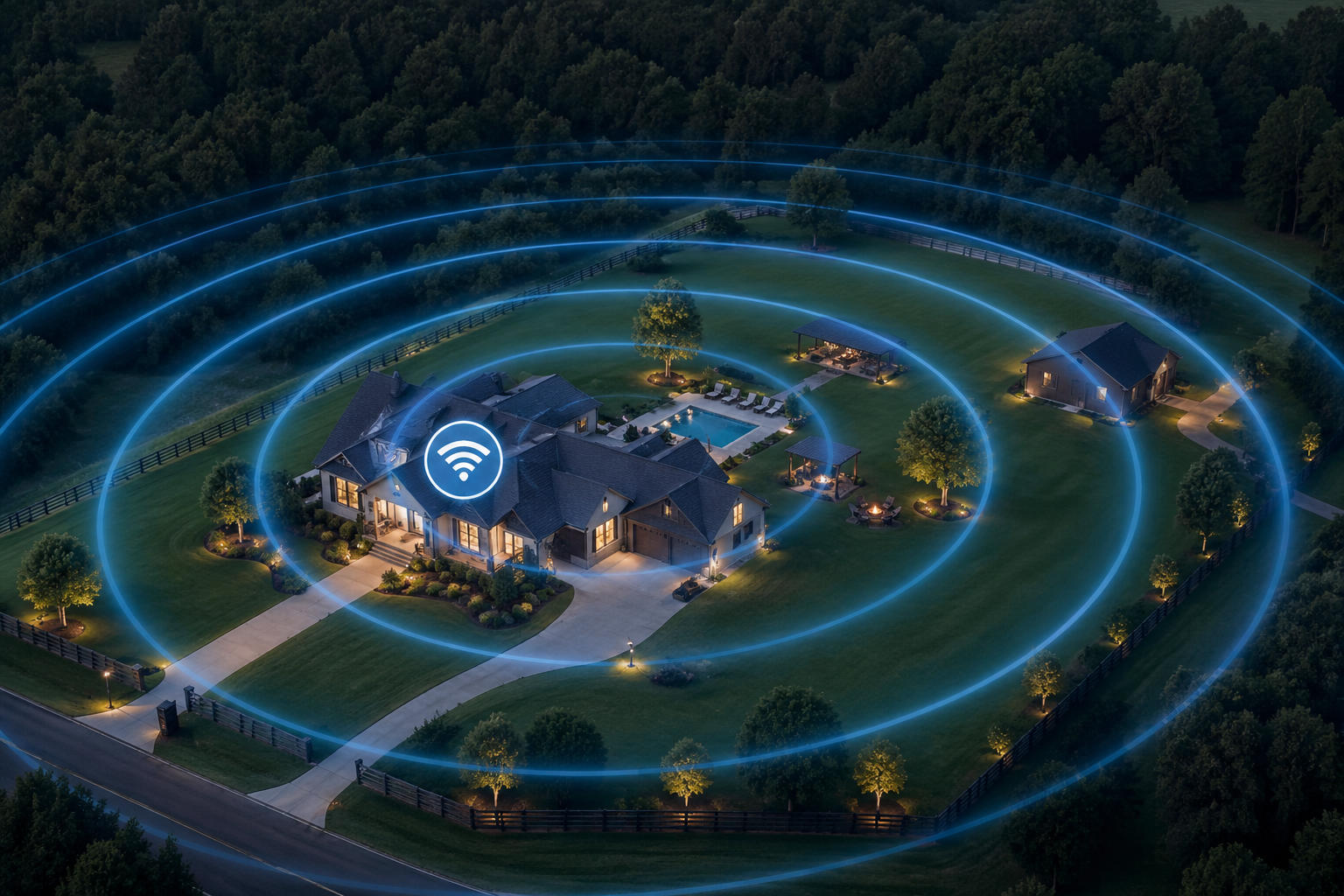
Most home Wi-Fi systems are designed with one goal in mind: covering the inside of your house.
That works well… until you ask it to do something it wasn’t really built for.
By the time your signal reaches outside, it’s already had to push through exterior walls, insulation, maybe brick or siding, and sometimes even metal or low-E glass. Each of those materials weakens the signal more than you’d expect. And once the signal is outside, it doesn’t just gently fade, it drops off quickly.
On top of that, outdoor spaces introduce their own challenges. Open air sounds simple, but you’re dealing with interference from nearby networks, physical obstructions like fences or landscaping, and even environmental factors like moisture in the air.
So if your Wi-Fi feels solid indoors but unreliable outside, that’s not a failure. It’s just a mismatch between what the system was designed to do and what you’re asking it to handle.
What You Actually Need: Coverage, Not Just Signal Strength
A lot of people think the goal is “more signal.”
More bars. More power. Maybe another outdoor Wi-Fi extender.
But in practice, what you’re really looking for is consistent coverage.
There’s a big difference between having a signal and having a connection that actually works the way you expect. You might see a couple of bars on your phone outside, but still deal with buffering, lag, or dropped connections.
What matters more is how evenly your network covers the space.
If you’re streaming music, working outside, or even streaming 4K outdoors, you don’t need peak speed for a few seconds. You need a steady, reliable connection that doesn’t drop when you move ten feet in either direction.
That’s the shift. It’s not about pushing signal farther, it’s about building coverage that holds up.
The Three Ways People Try to Fix Outdoor Wi-Fi (and Why They Struggle)
Most people don’t ignore the issue. They try a few things first. And honestly, they’re all completely reasonable ideas.
They just don’t tend to solve the whole problem.
Moving the router closer to a window is usually the first move. It can help a bit, especially if you’re close to the house. But you’re still working against walls, distance, and everything outside.
Plug-in options like an outdoor Wi-Fi extender are another common step. They’re easy to set up and can help in smaller areas, but they usually struggle to deliver consistent performance across a full yard.
Turning up the power on your router seems like it should do the trick. But higher power doesn’t solve interference or physical barriers. In some cases, it just adds more noise to the environment.
None of these are bad ideas. They’re just partial fixes. And outdoor setups usually need something a bit more intentional.
What Actually Works: Building a Backyard Mesh Network
When you want reliable coverage across a larger area, the approach changes.
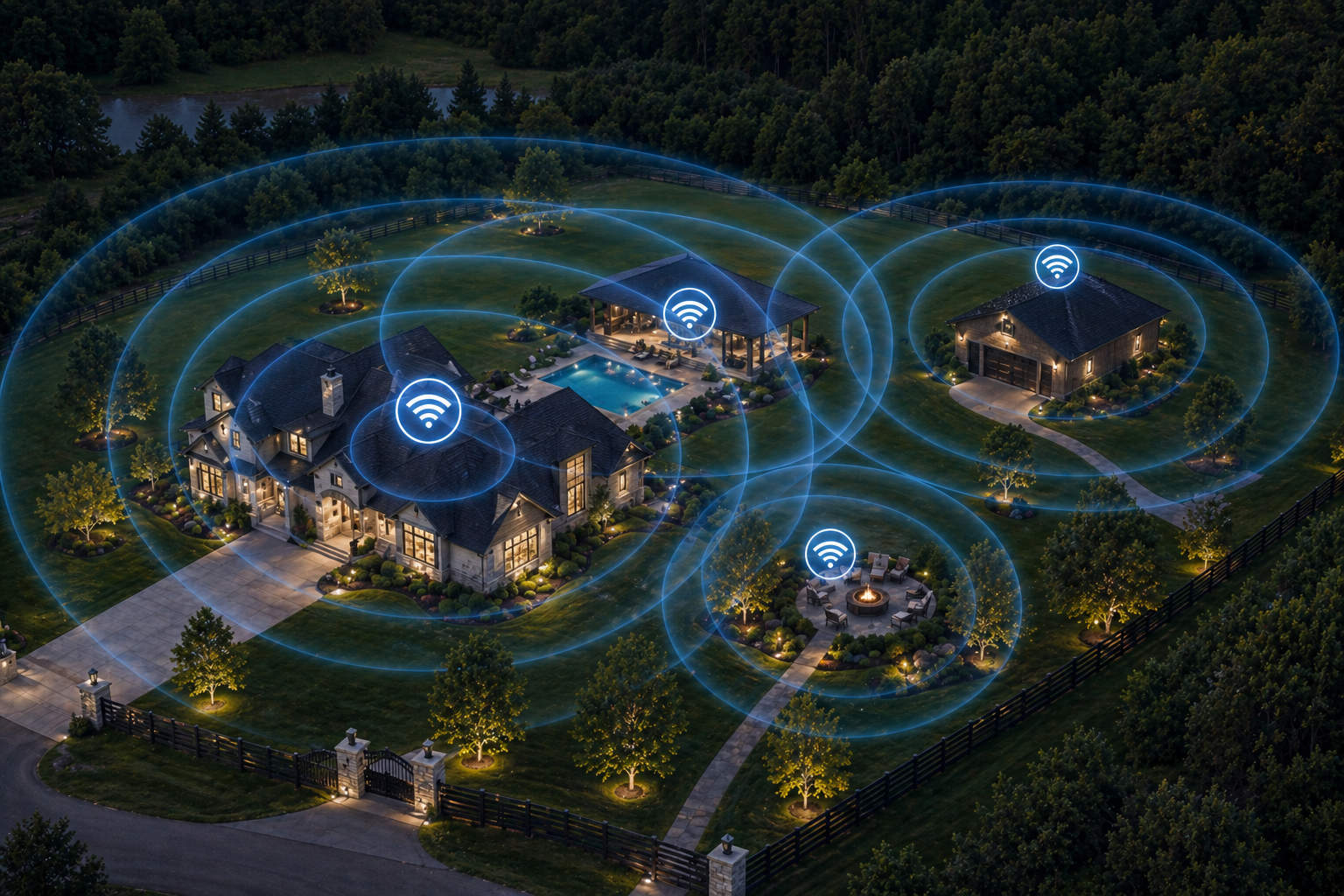
Instead of relying on a single device to reach everywhere, you use multiple points that work together. This is where a backyard mesh network comes in.
Think of it as a team instead of a single player.
A well-designed backyard mesh network uses multiple nodes placed around your property to create overlapping coverage. As you move from one area to another, your devices automatically connect to the strongest point without you having to think about it.
That means no manual switching, no sudden drop-offs, and a much more consistent experience overall.
For outdoor spaces, this approach makes a big difference. It allows you to extend coverage naturally instead of trying to force a signal farther than it wants to go, which is where a single outdoor Wi-Fi extender usually starts to hit its limits.
The Role of a Weatherproof Access Point
Once you start thinking about outdoor coverage, the next piece of the puzzle is using the right hardware.
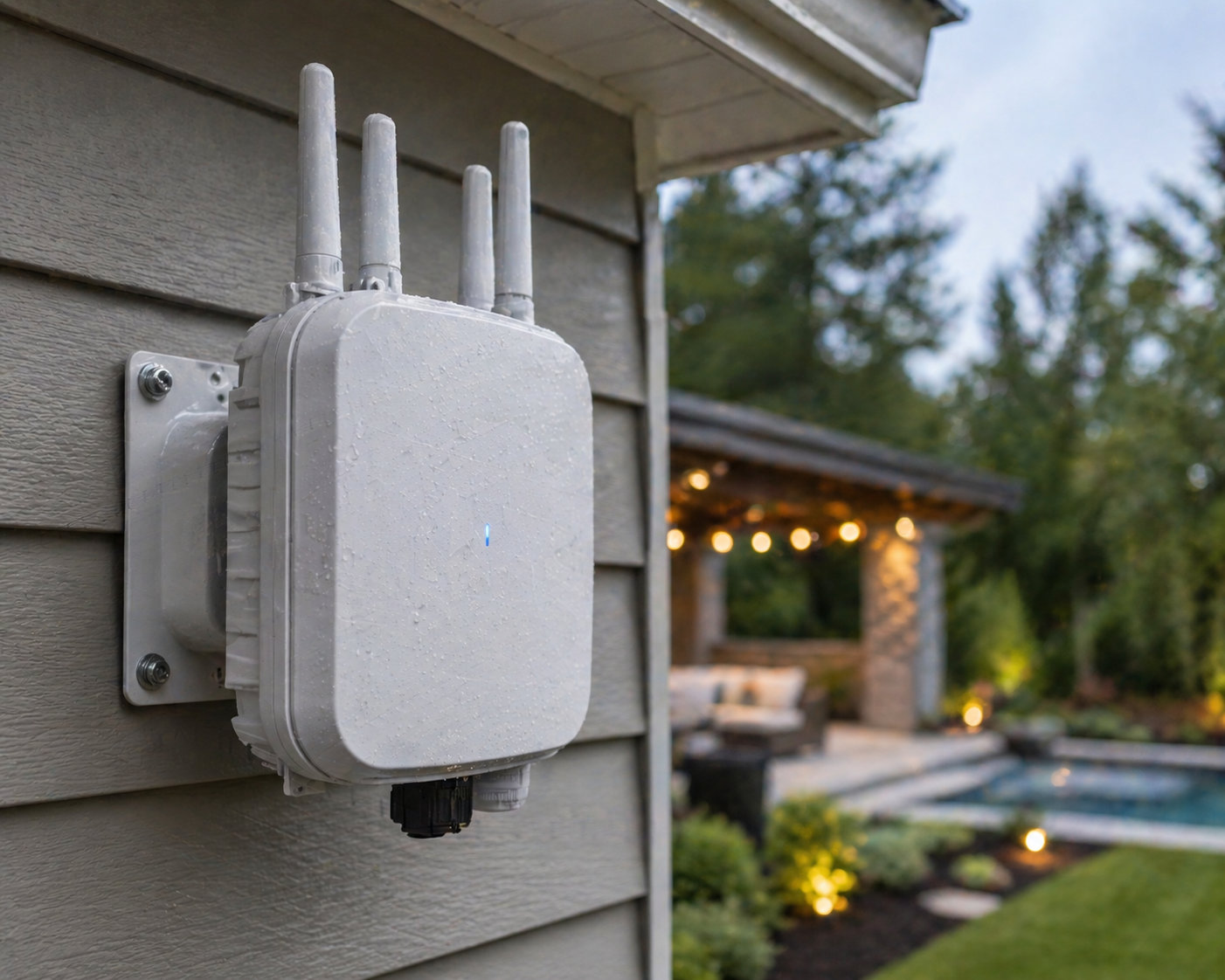
A weatherproof access point is designed specifically for outdoor environments. It’s built to handle temperature changes, moisture, and exposure in a way indoor equipment isn’t.
Placing a weatherproof access point under an eave, on an exterior wall, or near your patio or pool means you’re putting coverage exactly where you need it.
Instead of trying to push a signal from inside the house out into the yard, you’re building the network outward in a way that makes sense.
It’s a small shift in approach, but it changes the results completely.
Wired vs Wireless Backhaul – Does it Matter?
There’s one piece that doesn’t get talked about as much, but plays a big role in how well everything performs.
That’s how your network connects to itself.
This is often called backhaul. In simple terms, it’s how your access points communicate with your main network.
Wireless backhaul is common and easier to set up. It works well in many cases, especially for smaller spaces.
But when you’re dealing with outdoor coverage, distance, or higher demand, like streaming 4K outdoors or running multiple devices at once, a wired connection tends to be more stable.
Running Ethernet to your access points gives you a stronger, more consistent foundation. It removes a lot of the variability that can come with wireless links.
You don’t always need it, but when you do, it’s one of those upgrades that quietly makes everything feel better.
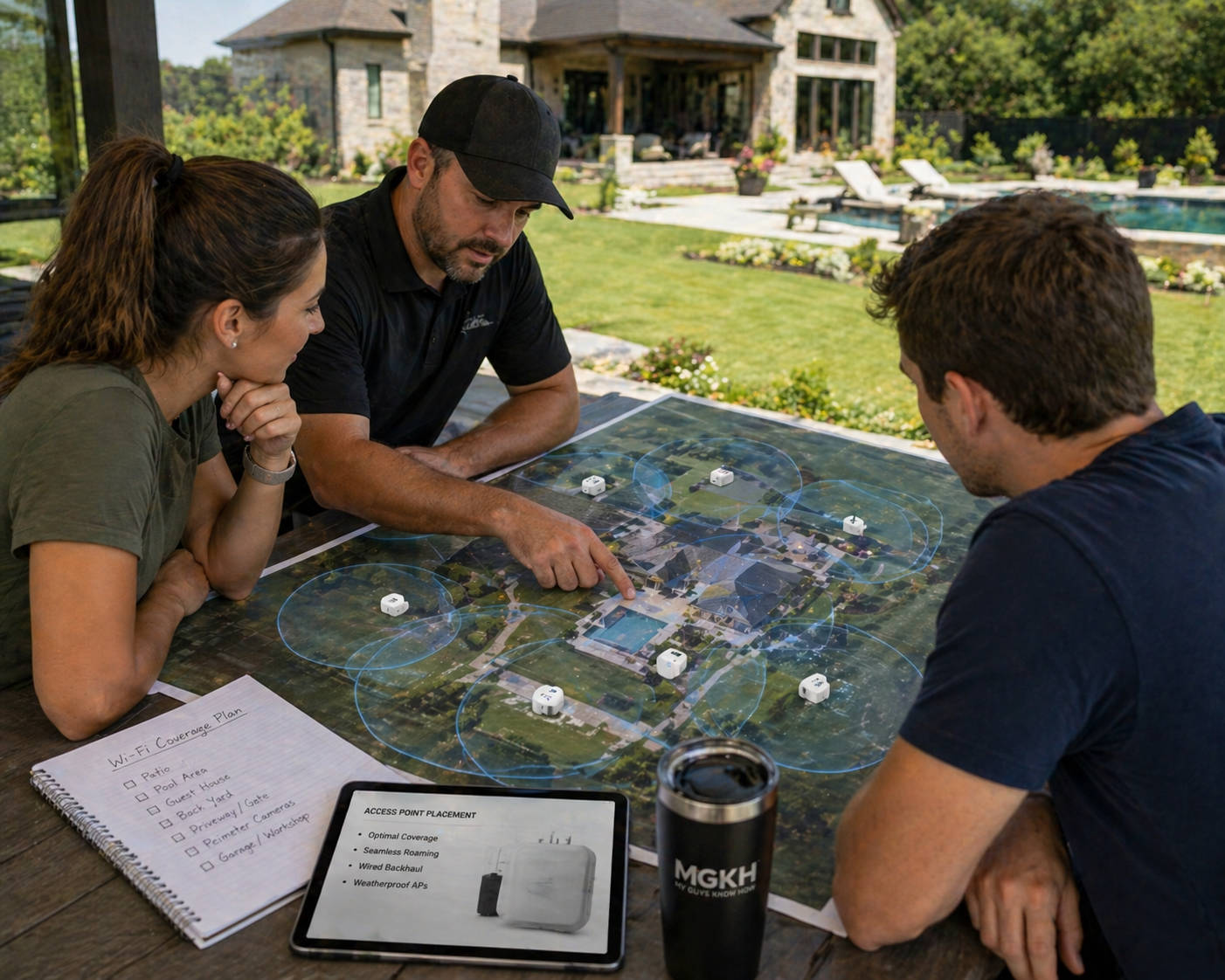
Planning Outdoor Wi-Fi Coverage for Real Life, Not Just the Patio
One of the easiest things to overlook is how you actually use your space.
It’s not just about covering a single seating area. It’s about how everything connects across your property.
Maybe it’s the patio, the pool, the garage, or even the edges of your yard where cameras are installed. Whether you’re extending internet to the pool or making sure your whole yard stays connected, each of those areas has slightly different needs.
When you plan coverage with those zones in mind, you end up with a setup that feels seamless instead of patchy.
It also helps avoid that cycle of adding one more outdoor Wi-Fi extender, then another, and still not quite getting there.
A little planning upfront goes a long way.
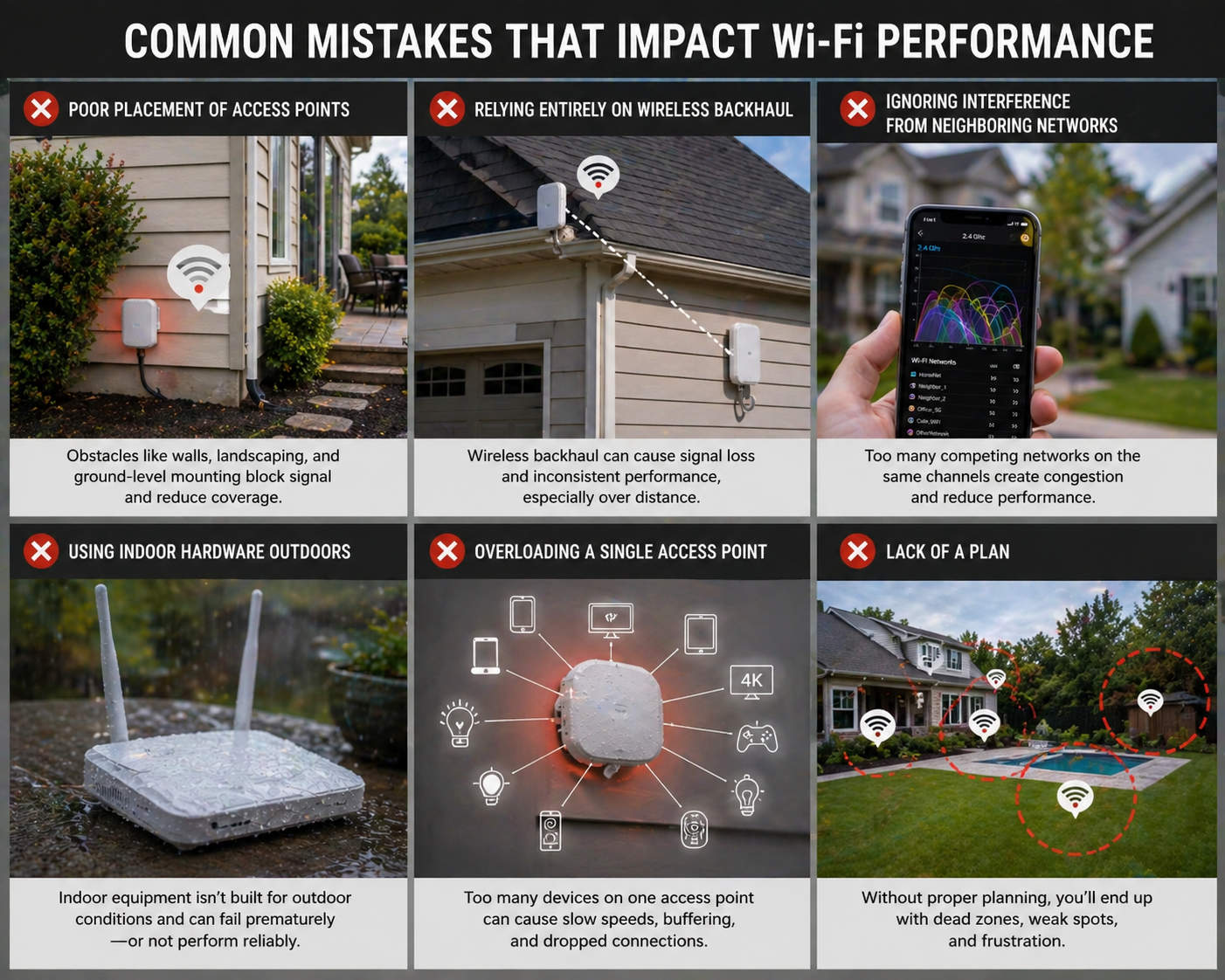
Common Mistakes That Impact Performance
There are a few things that tend to come up in outdoor setups, and they’re easy to run into.
Placement is a big one. Even a great weatherproof access point won’t perform well if it’s tucked into a spot where the signal can’t spread properly.
Relying entirely on wireless connections can also create inconsistency, especially as distance increases.
Using indoor equipment outside is another common situation. It might work for a while, but it’s not designed for those conditions long-term.
And sometimes it’s just a matter of asking one device, like a single outdoor Wi-Fi extender, to handle too much at once.
None of these are obvious at first. They usually only show up once everything is in place and something still feels off.
What “Rock-Solid” Actually Looks Like
When everything is set up the right way, the experience changes in a noticeable way.
You can start a show outside and it just plays. No buffering, no waiting. Streaming 4K outdoors feels just as smooth as it does inside.
Music carries across the yard without cutting in and out.
Cameras stay connected and reliable.
You can move from one area to another without thinking about your connection at all.
That’s really the goal. Not chasing speed tests or trying to maximize numbers, just having a system that works consistently in the background.
When It’s Worth Getting It Done Right the First Time
Some setups are simple. Others have a few more moving parts.
If you’re working with a larger property, multiple outdoor areas, detached buildings, or you want a true backyard mesh network that covers everything properly, it can be worth taking a more structured approach from the start.
Not because it’s complicated, but because it saves time, avoids frustration, and usually ends up being more efficient in the long run.
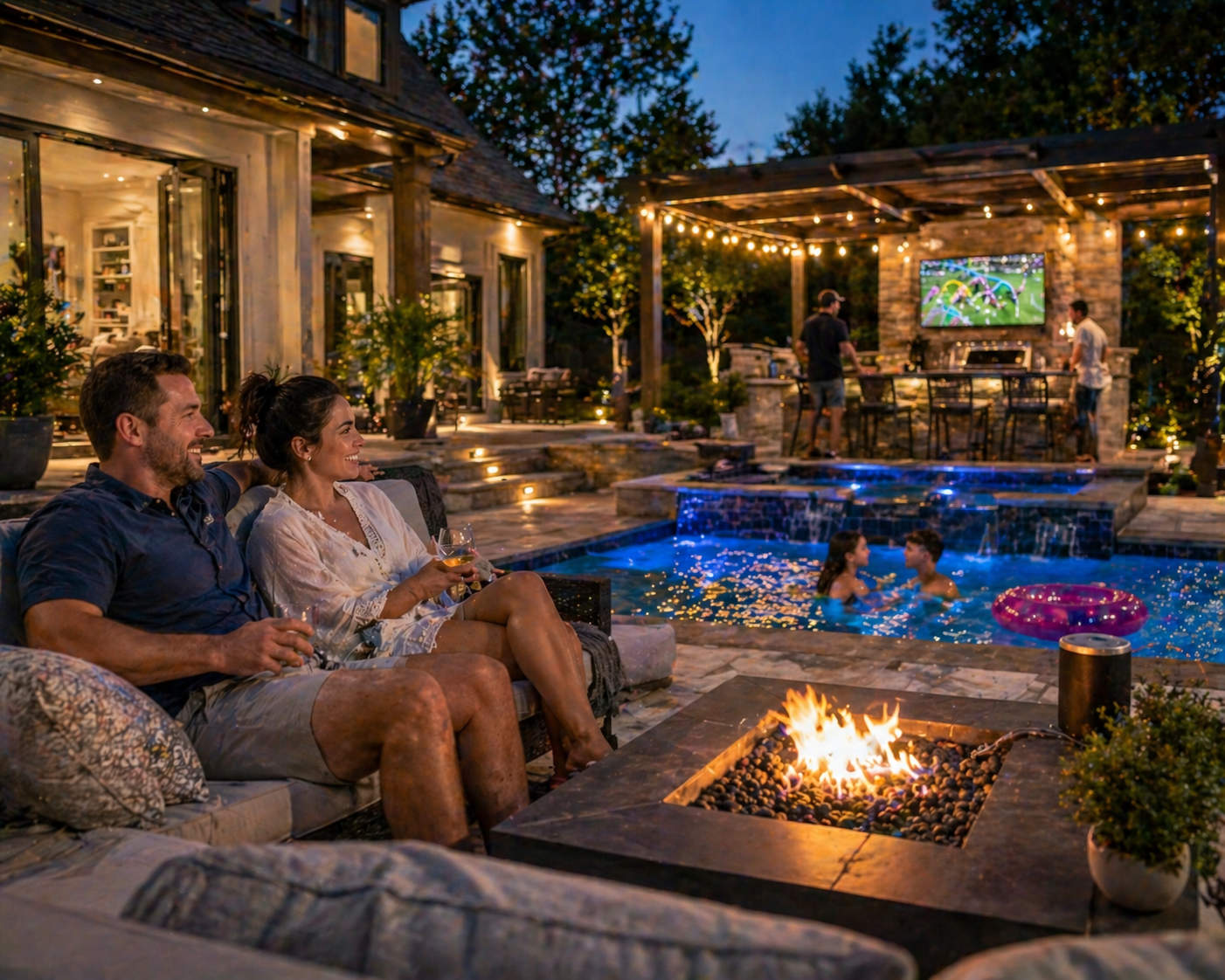
Your Outdoor Setup Is Only as Strong as What’s Behind It
It’s easy to focus on the visible parts of an outdoor setup, the TV, the speakers, the lighting.
But all of it depends on something you don’t see.
When the network is solid, everything else feels easy. When it’s not, even the best equipment can feel frustrating.
Most setups that rely on a single outdoor Wi-Fi extender eventually run into limitations. A properly designed system, with the right mix of coverage and hardware, just works.
And once it’s built right, you don’t really have to think about it anymore.
If your Wi-Fi drops the second you step outside, there’s usually a reason. And there’s usually a clean way to fix it. Let’s take a look at your space and get it working the way it should.