
Few things are more frustrating than your WiFi dropping right in the middle of something important.
You’re on a Zoom call.
Your FaceTime freezes.
Your movie buffers.
Your smart home suddenly stops responding.
It feels random. But most of the time, it isn’t.
WiFi issues usually come down to a few very specific causes. In this video, Bryan Talkie from My Guys Know How walks through four of the most common reasons your WiFi may drop or disconnect and what you can check before calling your internet provider. The good news? Many of these issues are simple to diagnose.
Bryan breaks down the four most common causes of dropped WiFi connections and what homeowners can check quickly.
The 4 Most Common Reasons WiFi Drops or Disconnects
1. Your Device May Be the Problem
Sometimes the issue isn’t your network at all. It’s the device.
Phones, laptops, tablets, and smart TVs all have their own wireless radios and software running in the background. Just like any computer, they can get stuck, overloaded, or temporarily confused.
This is especially common if your device has been running for a long time without restarting. The simple fix?
Restart the device.
A quick reboot refreshes the wireless connection and clears temporary glitches. It sounds basic, but it solves more WiFi issues than most people realize.
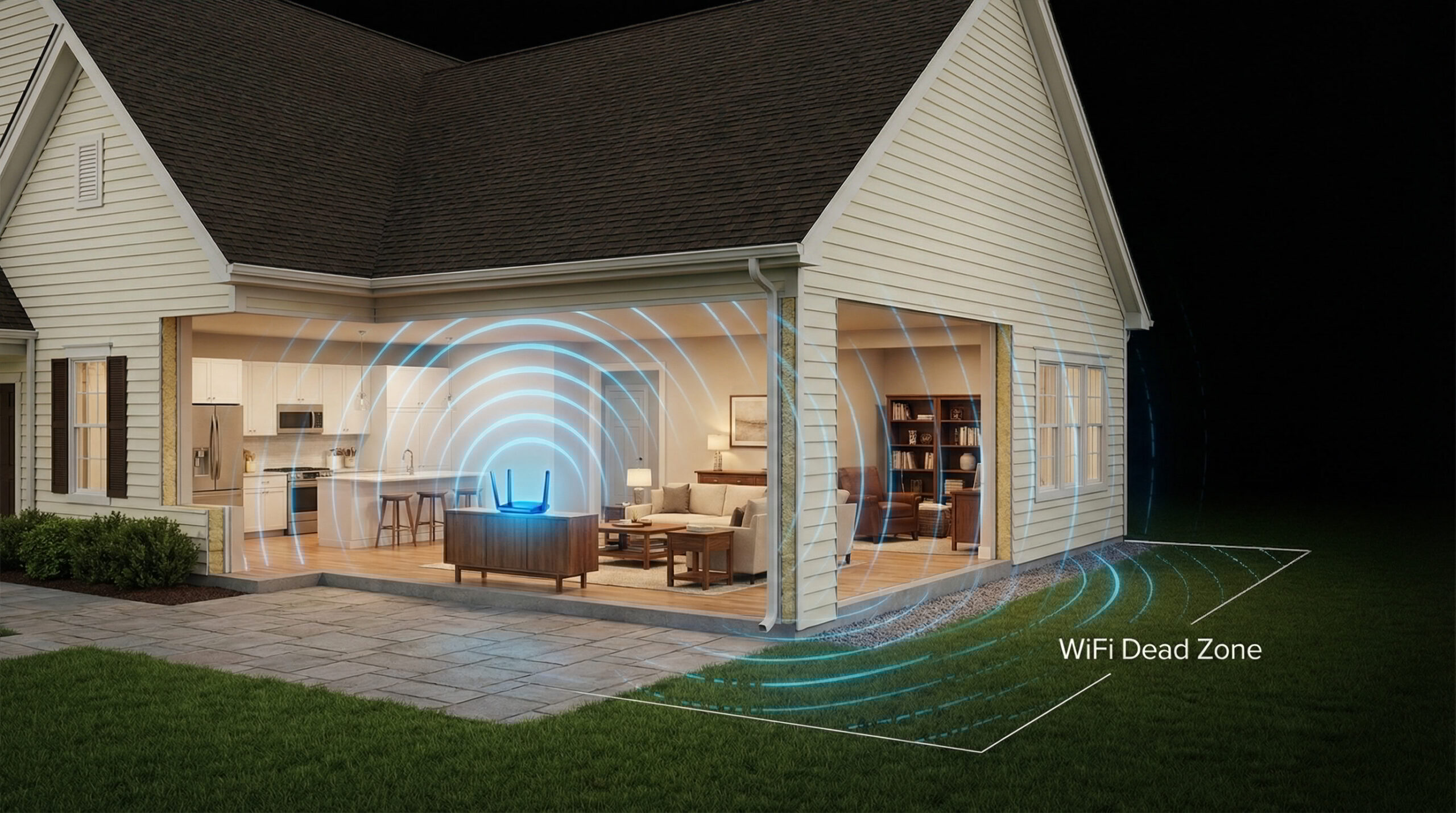
2. You May Be Sitting in a WiFi Dead Zone
Another common reason WiFi disconnects is location.
WiFi signals travel outward from your router like ripples in water. The farther you move away from the source, the weaker the signal becomes.
Certain areas of the home naturally struggle more, including:
- Basements
- Bedrooms far from the router
- Bonus Rooms
- Outdoor spaces
- Rooms separated by thick walls or plumbing
In these areas, your device may briefly connect, lose signal, reconnect, and repeat the cycle. That’s what causes those frustrating dropouts.
If this happens often in a specific room, it usually means the WiFi network simply isn’t reaching that space consistently.
3. Your Internet Equipment May Need a Rest
Your modem and router are small computers that run continuously.
Over time, they can experience:
- Memory overload
- Software glitches
- Firmware hiccups
- Hardware aging
When that happens, connections may randomly drop.
Before assuming something major is wrong, try rebooting your networking equipment. Unplug the modem and router, wait about 30 seconds, and plug them back in.
This refreshes the system and often restores stable connections.
If the problem keeps happening, the hardware itself may be outdated or failing.
4. Your Internet Service Provider May Be Having Issues
Sometimes the problem isn’t inside your home at all.
Internet service providers occasionally experience outages, maintenance windows, or network congestion in your area.
If your entire home suddenly loses internet or disconnects repeatedly across multiple devices, it could be an issue upstream.
Before spending hours troubleshooting your home network, it’s worth checking your provider’s outage map or support page.
If everything checks out and the issue continues, then it may be time to look deeper into your home network setup.
When Wi-Fi Dropouts Become a Pattern
If your WiFi disconnects frequently, there’s usually an underlying design issue with the network. Modern homes have far more connected devices than they used to:
- Phones
- Smart TVs
- Doorbells
- Cameras
- Streaming devices
- Laptops
- Tablets
- Smart thermostats
- Game consoles
When all of these rely on a single router placed in a corner of the house, performance can quickly become inconsistent.
A properly designed home network distributes WiFi strategically throughout the home so every room receives reliable coverage.
When that happens, dropped connections become rare and your network simply works the way it should.
The Takeaway
If your WiFi keeps dropping, check these four things first:
- Restart the device you’re using
- Make sure you’re not in a Wi-Fi dead zone
- Reboot your modem and router
- Check if your internet provider is experiencing outages
Many Wi-Fi problems start with one of these simple issues.
If you have tried these steps and the problem keeps coming back, your home network may need a deeper look.
If your WiFi keeps dropping, freezing during Zoom calls, or disconnecting throughout your home, My Guys Know How can help.
We specialize in professionally designed home networks that deliver reliable coverage where you actually use it.
No more dead zones.
No more random disconnects.
Just WiFi that works.