
WiFi is not magic but it can seem like it sometimes. There are a lot of moving parts and truly impressive behind-the-scenes technology that all need to work together in a properly designed and functioning wireless networking solution. While there are many reasons why you may experience slow or dead zones in your home. These are some of the most common.
If your Wi-Fi works perfectly in one room but slows to a crawl in another, you’re not alone, and you’re not imagining things. This is one of the most common frustrations homeowners experience, especially as homes get larger, smarter, and more connected.
The good news?
This problem is extremely common and very solvable.
Let’s break down why it happens and what it actually takes to fix it.
WiFi Isn’t EVEN and it was NEVER designed to be
One of the biggest misconceptions about WiFi is that once it’s turned on, it should just “fill” your entire home evenly. In reality, WiFi doesn’t work that way.
WiFi starts from a single location, usually your router and spreads outward. Because they are radio waves traveling at the speed of light; as it travels, it naturally weakens. The farther it goes, the less strength it has left by the time it reaches you.
Think of it like a flashlight:
- Close to the source, it’s bright and strong
- Farther away, it fades
- Put obstacles in the way, and it fades even faster
Your home is full of obstacles.
The Biggest Reasons Wi-Fi Slows Down in Certain Rooms
1. Distance from the Router
The farther a room is from your router, the weaker the WiFi signal will be. This is why bedrooms, basements, bonus rooms, and second floors often struggle the most.
2. Walls, Floors, and Building Materials
Not all walls are created equal. Materials like:
- Brick
- Concrete
- Plaster (THE WORST)
- Tile
- Metal ductwork
- Plumbing
- Appliances
- People
…are especially good at blocking or weakening WiFi signals. Even newer homes with radiant flooring or energy-efficient materials can create unexpected Wi-Fi challenges.
3. Router Placement
Most routers are installed where the internet service enters the home. That’s convenient for installation but rarely ideal for coverage.
WiFi doesn’t care where your modem lives. It cares where you live:
- Home offices
- Bedrooms
- Living rooms
- Basements
- Outdoor spaces
When the router isn’t placed with coverage in mind, dead zones are almost guaranteed.
4. Interference
Your WiFi isn’t the only signal in the air. Nearby WiFi networks, smart devices, baby monitors, and even microwaves all compete for space. In condos, townhomes, or dense neighborhoods, this can significantly impact performance.
5. Too Many Connected Devices
Modern homes don’t just have phones and laptops anymore. Smart TVs, cameras, doorbells, thermostats, speakers, and appliances all share your WiFi. The more devices competing for attention, the harder your network has to work; especially if coverage is already weak.
Why Upgrading Internet Speed Usually Doesn’t Fix Dead Zones
This is one of the most important things to understand. If WiFi is slow or unreliable in certain areas of your home, it’s rarely because your internet plan is too slow. Buying faster internet doesn’t make WiFi travel farther. It’s like increasing water pressure without fixing the pipes. You may have plenty of speed coming into the house. It just isn’t reaching every room. Dead zones are almost always a coverage problem, not a speed problem.
Why “An All-In-One Router” Isn’t Enough for Most Homes
A single router can work well in:
- Small apartments
- Open floor plans
- Homes with minimal interference
But today’s homes are larger, more complex, and far more connected than they used to be. Expecting one device to deliver fast, reliable WiFi everywhere is asking a lot.
And frankly, it’s not lazy WiFi. It’s just tired.
What Actually Solves WiFi Dead Zones
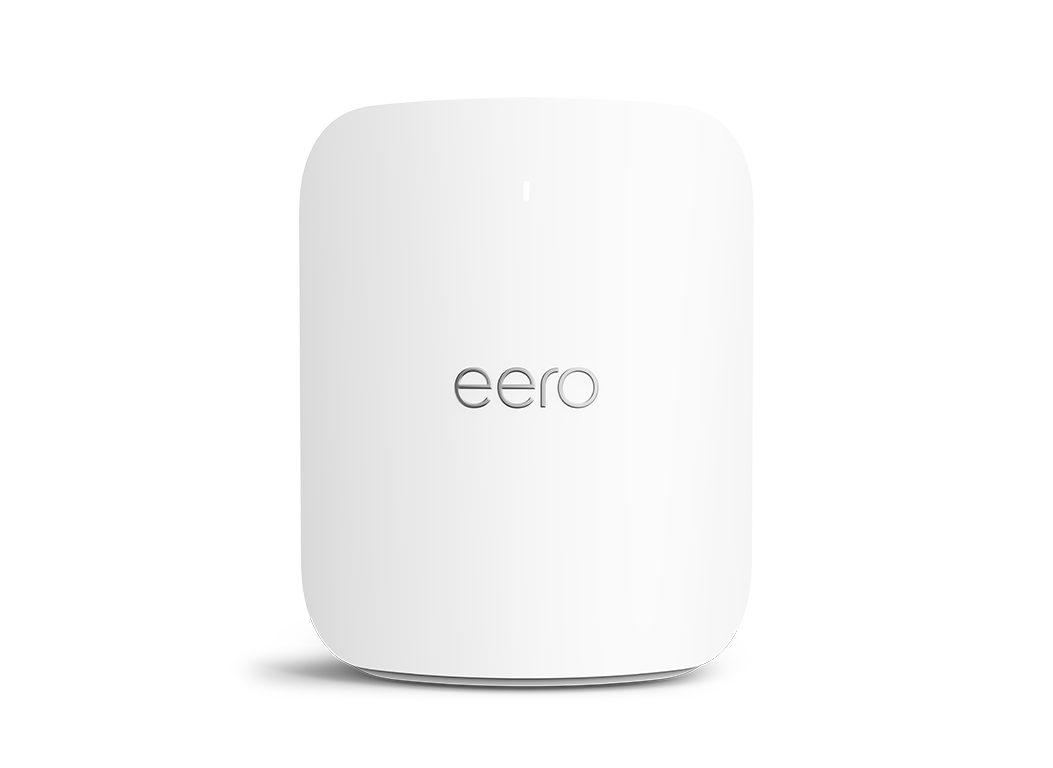
The real solution isn’t louder WiFi: it’s better placement and in larger homes/areas additional wireless antennas.
Instead of relying on one router to do everything. Whole home WiFi systems use multiple access points placed strategically throughout the home. Each one provides strong, reliable WiFi in the areas where it’s needed most.
When possible, these access points are connected using existing wiring in the home. This keeps speeds fast, connections stable, and performance consistent. Even when many devices are in use at the same time.
The goal isn’t “more WiFi.”
The goal is consistent WiFi everywhere.
The Takeaway
If your WiFi works great in some rooms and struggles in others:
- Your internet service probably isn’t the problem
- Your devices probably aren’t the problem
- Your home isn’t broken
Your WiFi simply hasn’t been designed for the way you live in your home today.
When WiFi is treated like infrastructure, not just a gadget. Dead zones disappear, frustration goes away, and your home just works the way it should.
And that’s exactly what we help homeowners do every day.
Contact us now to schedule your professional networking service and experience the difference of a pro-grade install.