
Most homeowners have heard of a router.
Some have heard of a modem.
Almost nobody has heard of a network switch until they start running into problems that a router alone can’t solve.
More devices. More rooms. More dead zones. A smart home that’s supposed to work together but doesn’t quite get there. A streaming setup that buffers when it shouldn’t. A home office that drops connection at the worst possible moment.
These are the moments when a network switch stops being a piece of equipment and starts being an answer.
What Is a Network Switch? Let’s Start There.
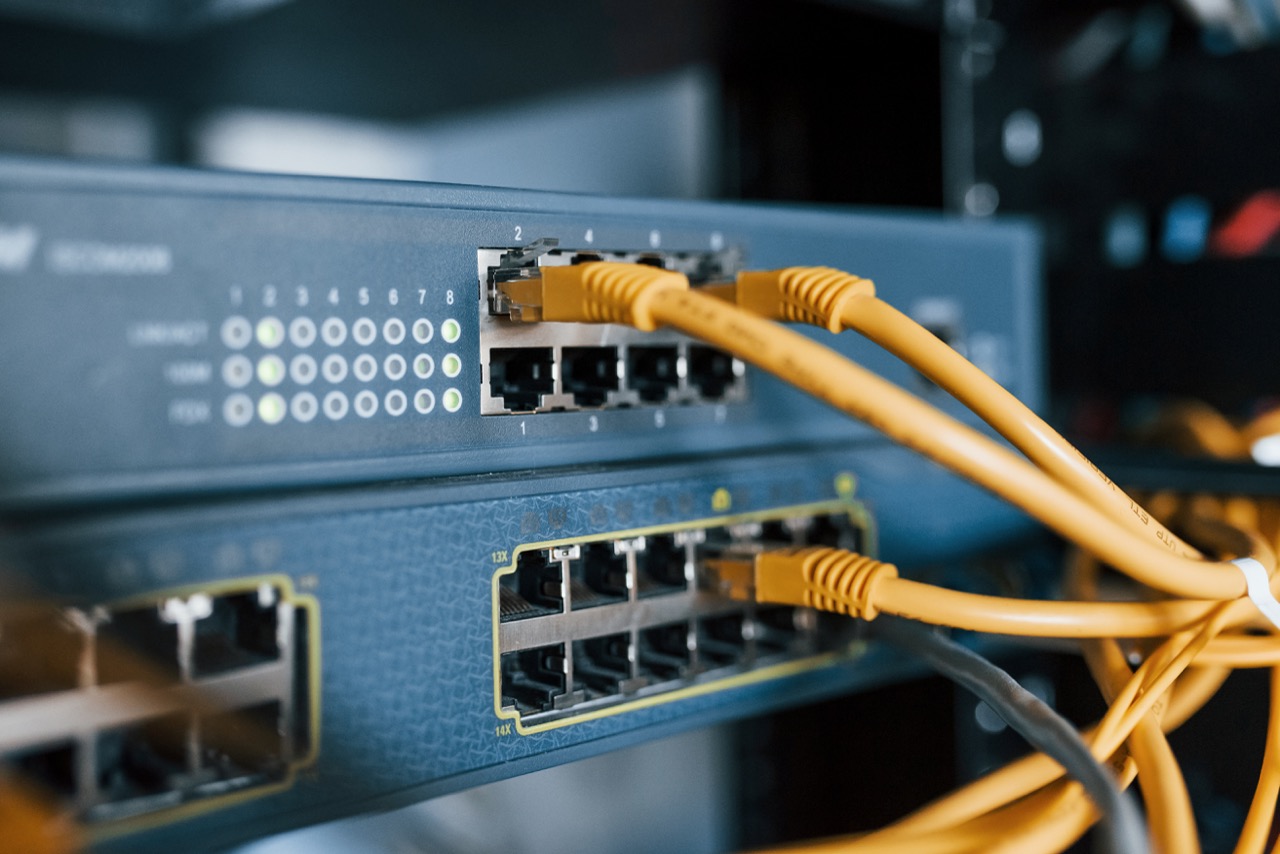
A network switch is a device that expands the number of wired connections available on your home network.
Think of your router as the hub of your home network. It manages traffic, connects to your ISP, and broadcasts your Wi-Fi signal. But a standard home router only has a handful of physical ports usually four, sometimes fewer.
That works fine for a simple setup.
But modern homes aren’t simple setups.
Smart TVs, gaming consoles, desktop computers, network video recorders, wireless access points, home automation hubs the list of devices that benefit from a direct wired connection keeps growing. And your router doesn’t have enough ports to handle all of it.
That’s where a network switch comes in.
Plug one into your router and you’ve just multiplied the number of wired connections available. Eight ports, sixteen, twenty four depending on what your home needs. Every device that connects through the switch gets a fast, stable, dedicated connection back to your network.
No fighting for bandwidth. No wireless interference. No dead zones.
Wired vs. Wireless — Why It Still Matters
Wi-Fi has come a long way. There’s no question about that.
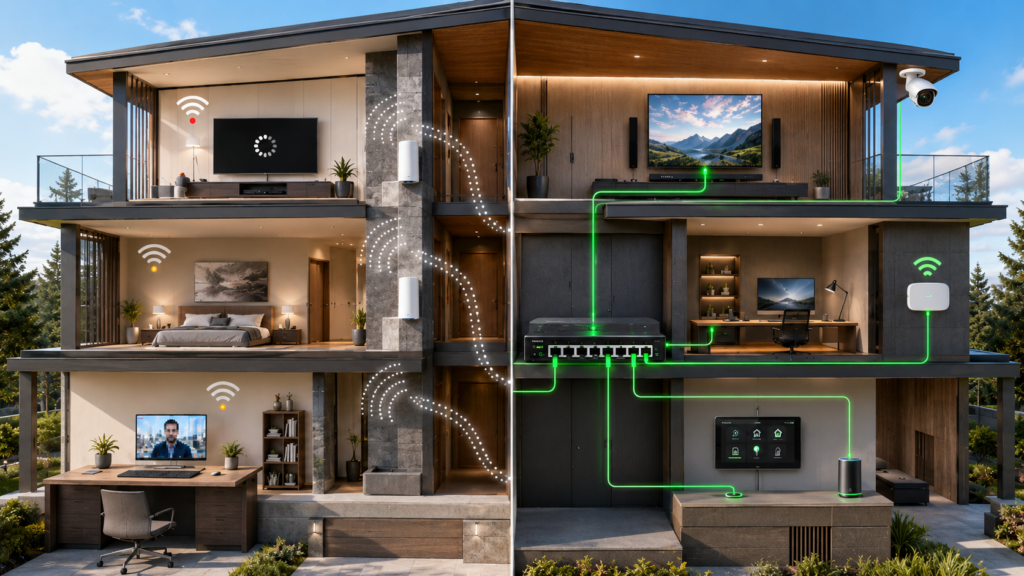
But a wired connection through a network switch will always be more stable, faster, and more reliable than a wireless one especially for devices that need consistent performance.
Wireless signals have to travel through walls, floors, and interference from neighboring networks, appliances, and everything else competing for that same airspace. A wired connection doesn’t deal with any of that.
For a home theater setup, a wired connection means smoother 4K streaming without buffering mid movie.
For a home office, it means video calls that don’t drop or pixelate at the wrong moment.
For a security camera system or NVR, it means reliable, continuous recording without gaps in footage.
For a smart home, it means the backbone of your network is solid enough to support everything running on top of it.
A network switch is how you build that backbone.
It’s Not Just About Adding Ports
This is the part that surprises most people.
A network switch isn’t just a solution for running out of room on the back of your router. It’s a foundational piece of how a well designed home network is actually built.
When My Guys Know How sets up a home network, we’re thinking about the whole structure not just where the Wi-Fi router sits. A properly installed network switch, placed in the right location and wired correctly throughout the home, is what allows every room and every device to perform the way it should.
Wireless access points the devices that extend your Wi-Fi signal evenly throughout your home need a wired connection back to the network to perform at their best. A network switch is what makes that possible across multiple rooms or floors.
Home entertainment systems perform better when the TV, streaming device, and gaming console each have their own dedicated wired connection instead of competing over Wi-Fi.
Smart home systems lighting, thermostats, security, audio are more responsive and reliable when the network they’re running on has a solid wired foundation underneath.
It’s all connected. And the switch is a big part of what holds it together.
Managed vs. Unmanaged — What’s the Difference?
You may come across these terms and wonder which one matters for a home.
An unmanaged switch is plug and play. You connect it, it works, and there’s nothing to configure. For most residential applications, this is perfectly appropriate.
A managed switch gives you more control the ability to prioritize certain types of traffic, segment your network, and fine tune performance. In a more complex smart home setup or a home with a dedicated office network, a managed switch can make a real difference.
Which one makes sense for your home depends on how your network is being used. It’s one of those decisions that’s worth getting right from the start instead of retrofitting later.
The Real Reason Wi-Fi Feels Inconsistent in Most Homes
Here’s something worth sitting with for a moment.
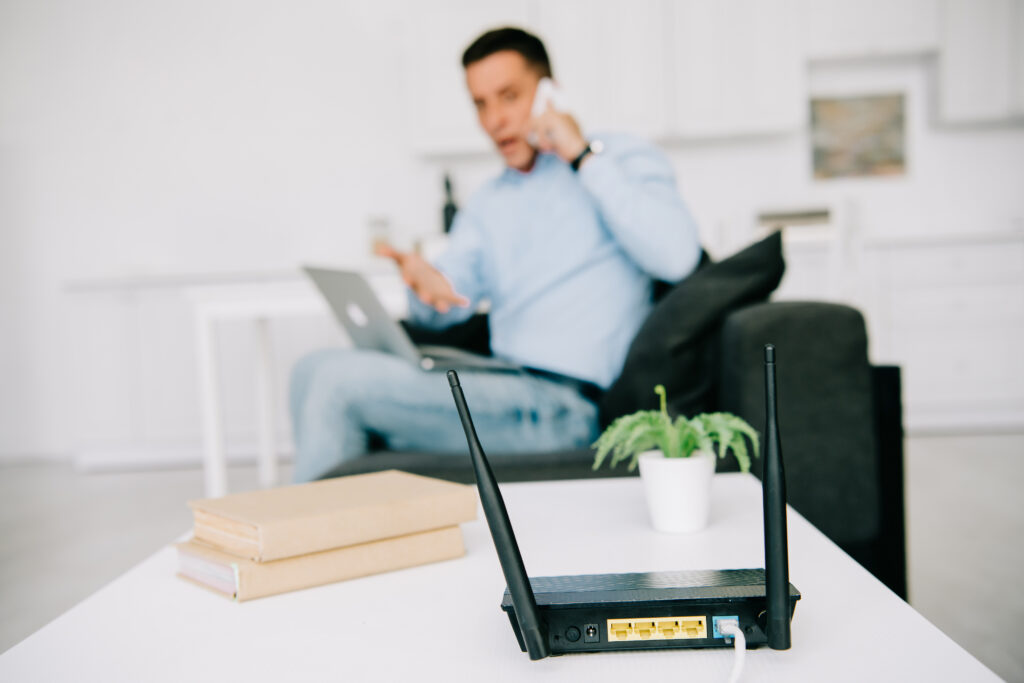
Most Wi-Fi problems aren’t really Wi-Fi problems.
They’re network infrastructure problems that Wi-Fi gets blamed for.
A router trying to serve every room, every floor, and every device wirelessly was never designed to handle a modern connected home on its own. When the wired foundation isn’t there, the wireless layer has to compensate and it can only do so much.
The homes that feel effortless where the connection is solid in every room, every device performs the way it should, and nothing needs constant restarting those homes almost always have proper wiring and a network switch behind the scenes doing the work nobody sees.
That’s not a coincidence.
For homeowners across the Chicagoland area from Naperville and Aurora to the western suburbs and beyond home sizes, layouts, and the number of connected devices have all grown significantly. The standard ISP provided setup most households are running simply wasn’t built for that.
A properly installed home network with a network switch is one of the most impactful upgrades you can make to the way technology functions in your home. It’s not visible. It’s not glamorous. But it changes everything downstream.
When Should You Consider a Network Switch?
If any of these sound familiar, it’s worth having a conversation:
- Your Wi-Fi is inconsistent in certain rooms despite having a strong router
- You have a home theater, gaming setup, or home office that deserves a wired connection
- You’re building out a smart home and want the network to support it properly
- You have security cameras that need reliable, continuous connectivity
- You’re setting up wireless access points and want them performing at full capacity
- You’re finishing a basement, addition, or new build and want to wire it correctly from the start
Getting the network infrastructure right at the beginning is always easier and less expensive than trying to fix performance problems after everything is installed.
We trust Araknis Networks with our clients.
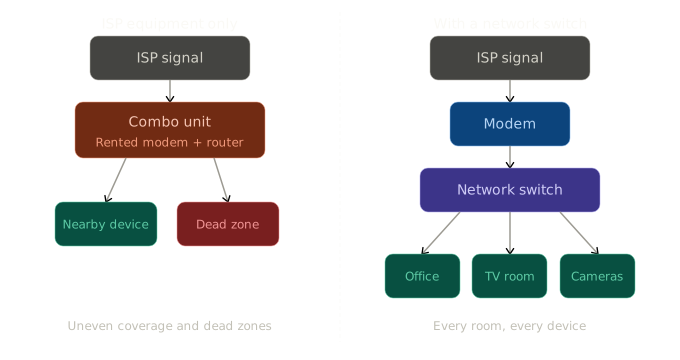
See the Difference: ISP Equipment vs. a Dedicated Network Setup
Here’s what that chain actually looks like — and why it matters.
Watch: What Is a Network Switch and Why Does It Matter?
Bryan breaks down what a network switch actually does, how it fits into a properly built home network, and why it’s one of the pieces most homeowners never hear about until something isn’t working the way it should.
Your Network Should Be Built to Handle Everything You’re Asking It to Do
Technology in the home has changed faster than most home networks have kept up with.
The good news is that the fix isn’t complicated. It just has to be planned and installed correctly.
At My Guys Know How, we build home networks that are structured from the ground up — the right wiring, the right equipment, and everything placed where it actually needs to be. Whether you’re starting fresh or trying to figure out why your current setup isn’t performing, we’ll take a look at your space and give you a straight answer.