
You bought the smart bulbs. You watched the YouTube tutorial. You downloaded three apps, said “Hey Alexa, turn on the living room” with full confidence, and then watched your spouse casually flip the wall switch and plunge the whole thing into darkness. Now the bulb is gone from the app, the schedule is broken, and you’re standing in the kitchen explaining to a light bulb why it needs to cooperate.
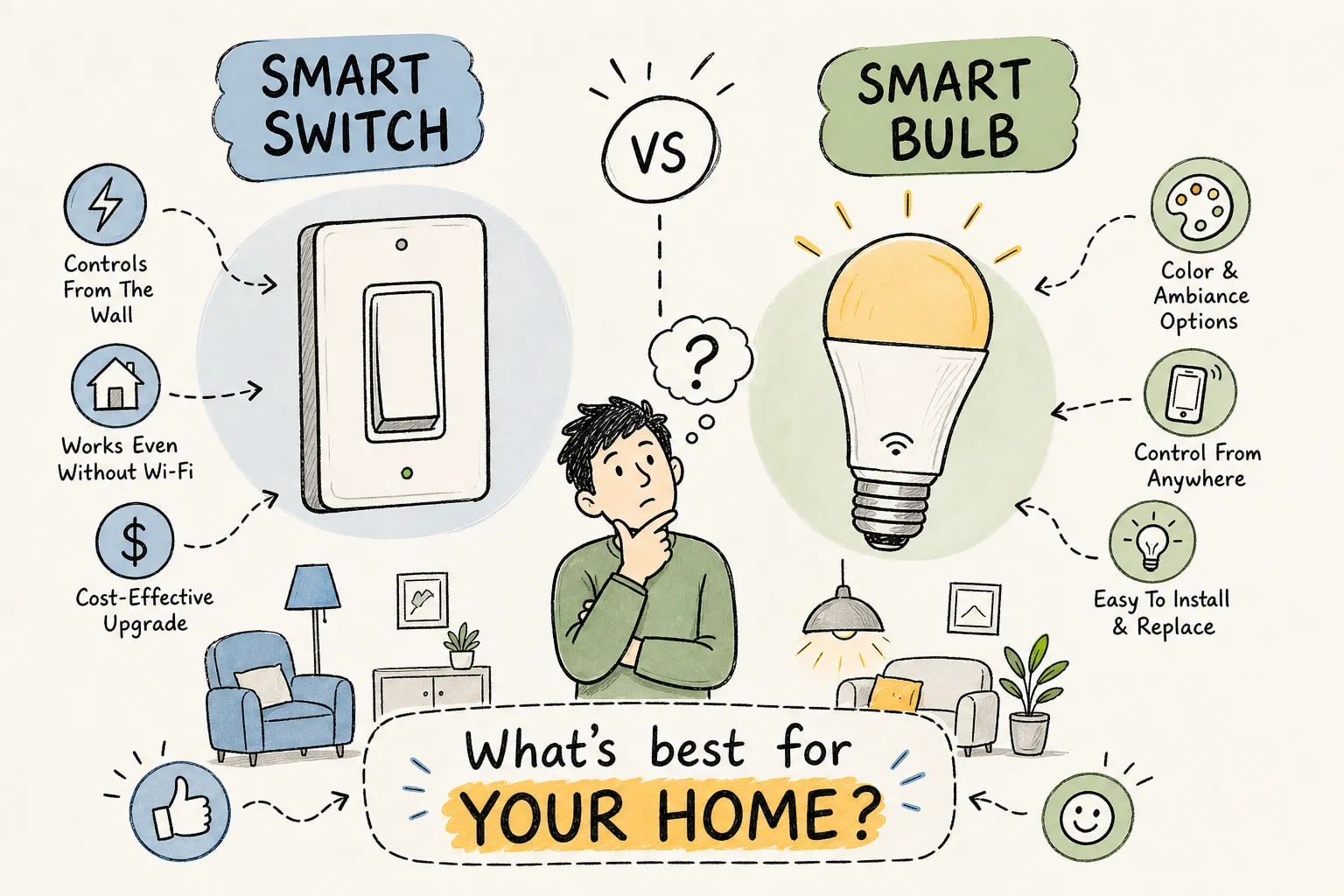
When deciding between a smart light switch vs smart bulb, most homeowners run into exactly this kind of friction. It’s one of the most common opening stories the team at My Guys Know How hears from new clients. The question almost always collapses into one of two camps: “Should I have done smart switches instead?” or “Why is my smart switch not doing anything useful?” The answer is different for every home, every room, and every wiring situation. That’s what this breakdown actually untangles.
Understanding what each product does at a technical level is the only reliable starting point. The confusion almost always starts there.
What each one actually does (and why it matters)
A smart switch replaces your existing wall switch and controls power to the fixture at the circuit level. The bulbs inside it are standard, dumb LEDs. The switch is the brain. Flipping the switch off cuts power the conventional way, but the switch itself stays connected to your network because it draws its own continuous power from the line. Most hardwired smart switches require a neutral wire to maintain that connection; no-neutral models draw a small amount of power through the load instead, which comes with some compatibility limits. Your schedules, automations, and voice commands all run through the switch rather than through the bulbs, though the exact behavior varies by product, ecosystem, and whether you’re using Wi-Fi, Zigbee, Z-Wave, or Matter.
A smart bulb works the opposite way. The wireless radio, controller, and LED driver are all packed into that single unit screwed into your socket. It needs continuous power from the wall to stay connected to your network. The moment someone flips the dumb wall switch off, the bulb goes dark and disappears from every app, schedule, and voice command it was part of. Until someone flips the switch back on, it does not exist as far as your smart home is concerned.
That’s the fundamental tension: smart bulbs and dumb wall switches are natural enemies. The recommended workarounds include switch guards that physically block the toggle, replacing the wall switch with a battery-powered smart remote, or simply leaving the wall switch always on and using voice commands or the app for daily control. All three work. None of them feel great. Labeling the switch “DO NOT TOUCH” in your own home is a real solution that real people use, and it says something about the tradeoffs involved.
Smart light switch vs smart bulb: the real cost breakdown
Smart A19 bulbs average around $15 each at retail in 2026, while a basic single-pole smart switch runs $20 to $35. At one bulb per fixture, the switch costs more upfront. That math flips fast once you’re dealing with any circuit that controls more than two bulbs. A recessed lighting circuit with six cans costs about $30 for one smart dimmer switch, versus $90 in smart bulbs doing the same job. And with the bulb approach, you still have to deal with the wall switch problem described above.
The neutral wire situation changes things further. Industry estimates put roughly 60% of U.S. homes with a neutral wire available at the switch box, though that figure varies by home age and region, newer construction built to the 2011 National Electrical Code is more likely to have one. If yours doesn’t, smart switch options narrow to no-neutral models, which typically run $35 to $60 and have compatibility limitations with certain LED loads. Lutron Caséta is among the most reliable no-neutral options available, with the Diva dimmer handling up to 150W of dimmable LED load and avoiding the flicker and ghosting issues that can affect cheaper no-neutral alternatives. Even Caséta requires its own hub for full ecosystem integration, which adds to the total cost.
If you’re renting, wiring is usually off-limits entirely, which shifts the math hard toward bulbs. If you’re in Indiana, Michigan, or Illinois and hiring an electrician to install switches, budget roughly $175 per switch in Indiana, $190 in Michigan, and $210 in Illinois for a standard replacement, based on 2026 regional labor estimates. Three-way setups and runs that need rewiring push that number to $300 to $500 per location. Installing several switches during one visit brings the effective per-switch cost down significantly, since the service call fee gets spread across the job.
When smart bulbs are clearly the better call
Renters are the clearest case. Most lease agreements prohibit touching the electrical panel or swapping wall plates, which means smart switches are out entirely. Smart bulbs deliver full automation capability: schedules, voice control, color scenes, dimming. No wire touched, no landlord call required. Just swap the original bulb back in when you move out. It’s genuinely the right tool for the job in this situation, not a compromise.
Table lamps and floor lamps are another obvious win for smart bulbs. These fixtures plug into an outlet, so there’s no switch to replace. A single smart bulb and a voice command is the cleanest possible setup. Adding a smart plug works too, but why add complexity when the bulb itself handles it?
Color and tunable white lighting is where smart bulbs have no real competition at the entry level. If you want to shift from warm amber at 9 PM to cool daylight at 8 AM, or build a movie scene with saturated color, smart switches can’t do that. They control power, not color temperature. Hardwired fixtures with tunable or color-capable LEDs exist, but they cost significantly more and limit your flexibility. For bedside lamps, living room accent lighting, and any fixture where mood matters more than sheer bulb count, smart bulbs are the cleaner, more capable choice.
When a hardwired smart switch is the smarter move
Multi-bulb circuits are where the switch wins without argument. Recessed lighting, bathroom vanity strips, and ceiling fans with multiple bulbs all run several fixtures from a single switch. One smart dimmer switch handles the entire circuit for $25 to $40. Replacing every bulb in a six-can recessed setup with smart bulbs costs $90 or more, forces you to never use the wall switch again, and introduces six individual points of failure instead of one. The switch wins that calculation cleanly.
Standby energy consumption is a quieter argument that adds up over time. Each smart bulb draws 0.2 to 0.5W continuously just to stay connected, even when the light appears off. One bulb is negligible. Twenty bulbs across a whole home can add roughly 35 to 90 kWh per year in pure standby consumption, power you’re paying for while getting zero light in return. Smart switches with conventional LEDs draw near zero at the fixture when the light is off. Over several years in a larger home, that difference becomes real money.
For homes with older wiring and no neutral at the switch box, choosing the right no-neutral smart switch matters a lot. Lutron Caséta, specifically the Diva DVRF-6L for dimmable LED loads, is a dependable option in this category. Budget no-neutral dimmers from brands like Tuya or MOES can work but are more prone to flicker, ghosting, or outright incompatibility with modern LED loads that fall below their minimum wattage threshold. A wiring assessment before you buy anything prevents a lot of expensive backtracking.
Compatibility and ecosystem: the part most people skip
Wi-Fi smart bulbs and switches from brands like Kasa, Meross, WiZ, and LIFX connect directly to your router and work natively with Alexa and Google Home. No hub, no bridge, straightforward setup. The downside is that each device occupies a Wi-Fi slot, and a crowded network causes reliability problems at scale. If you’re running 20-plus devices on a standard home router, you’ll feel this eventually.
Zigbee and Z-Wave devices require a compatible hub but operate on a dedicated mesh network separate from your Wi-Fi. For larger homes with many devices, this is more reliable and tends to perform more consistently. Matter-certified devices bridge the biggest compatibility gap: no brand-specific hub required, with native support across Alexa, Google Home, and Apple Home through a single QR code setup. Matter over Thread still needs a Thread border router, but most newer Echo and HomePod devices already qualify as one.
Apple Home users need HomeKit or Matter-certified products specifically. Alexa compatibility alone does not imply Apple Home compatibility, and this catches people off guard constantly. Zigbee switches like Aqara need a compatible bridge for Apple Home. Buying without verifying smart lighting compatibility first is the most common and most expensive mistake in smart lighting setups. Check the box, not just the marketing headline.
The hybrid approach: smart light switch and smart bulb together
Living rooms and bedrooms often benefit from combining both. A smart dimmer switch handles the overhead fixture, especially if it’s a multi-bulb ceiling install, while smart bulbs in table and floor lamps provide color and ambient control. You get reliable wall-switch operation for the main circuit and full color capability for accent lighting. No compromises, because each product is doing what it’s actually good at.
Before buying anything for more than one or two fixtures, a wiring assessment changes every decision in this comparison. Knowing which switch boxes in your home have a neutral wire, what circuits control what, and which fixture types you’re working with tells you exactly which products will work and which ones will cause problems. A quick consult or service call is a modest upfront cost relative to buying the wrong products and starting over. Getting eyes on your actual boxes prevents $200 mistakes before they happen.
For homeowners in Indiana, Michigan, and Illinois who want their smart lighting integrated into something beyond a collection of individual devices, the My Guys Know How team assesses existing wiring and lighting layout before recommending a single switch or bulb. The goal isn’t just lights that respond to an app. It’s lighting that communicates with your shading, security system, and audio, all controlled from one place with logic that actually fits how you use your home. Reach out to the team to schedule a walkthrough before your next purchase order.
Making the call
Ultimately, choosing between a smart light switch vs smart bulb comes down to what you’re controlling, how your wiring is set up, and what ecosystem you’re building into. Smart bulbs win in rentals, lamps, and anywhere color or tunable white matters. Smart switches win for multi-bulb circuits, permanent homes, and long-term energy efficiency and reliability. The hybrid approach wins for rooms that need both. The right answer isn’t a product category, it’s a match between your specific situation and the right hardware for it.
If the wiring question or smart lighting compatibility piece feels like too many variables to track before spending money, that’s exactly the moment to get a professional assessment. Getting eyes on your wiring and your existing fixtures before making purchasing decisions costs far less than buying the wrong products and starting over. My Guys Know How turns this kind of guesswork into a clear plan the first time. Get in touch with the team and find out what your home actually needs before a single switch gets ordered.