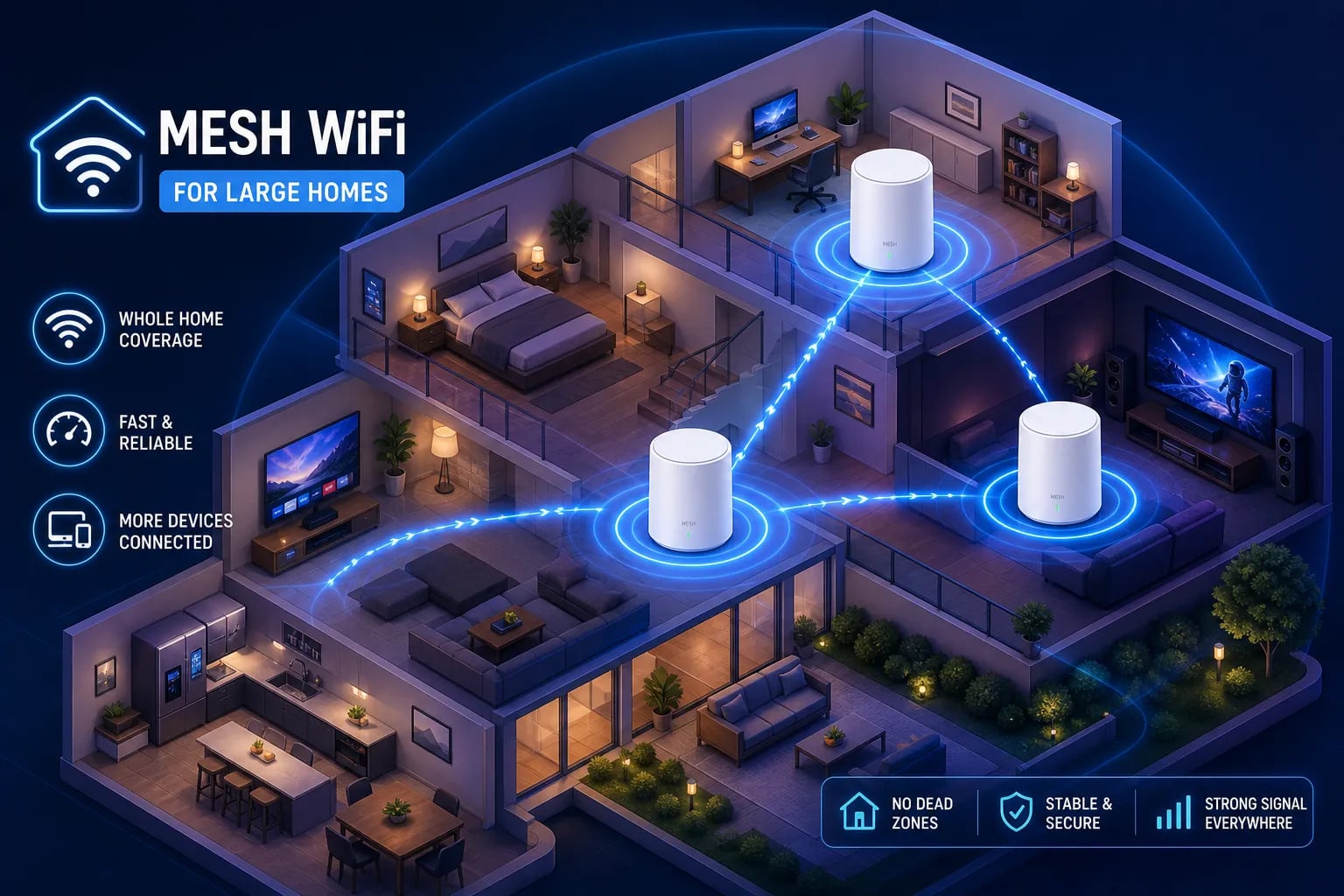
For most large homes, the answer is one of three systems: the TP-Link Deco BE63, the Amazon eero Pro 7, or the NETGEAR Orbi 770. These consistently top real-world coverage tests and handle multi-story layouts without drama when nodes are placed correctly and backhaul is configured properly. The right pick depends on your square footage, floor count, wall materials, and whether Ethernet is already in your walls or just on your renovation wishlist. Our team at My Guys Know How designs and installs these systems, and one thing we emphasize every time: the model you buy is only half the equation. Placement, backhaul type, and network design separate genuinely fast whole-home Wi-Fi mesh from a strong signal near the router and dead zones everywhere else.
Key takeaways
- Tri-band is strongly recommended: For homes over 3,000 sq ft with multiple users, a dedicated backhaul band keeps node-to-node traffic from robbing your devices of bandwidth.
- Wired backhaul wins: Running Ethernet between nodes is the single highest-impact upgrade in any large-home mesh setup, a conclusion backed by testing from sources like RTINGS.com and stablehomenetwork.com.
- Count your nodes correctly: Plan on 3 nodes for 3,000–5,000 sq ft homes, and 4 or more for anything larger, especially with concrete or brick.
- Ratings are optimistic: A 3-pack rated for 7,500 sq ft realistically covers 4,000–5,000 sq ft in standard construction with real walls and floors.
- Wi-Fi 7 earns its price: Worth the upgrade for heavy device loads, multi-gig internet, or wireless VR. Wi-Fi 6 handles most households fine.
- Consumer mesh has limits: Complex homes over 5,000 sq ft are where off-the-shelf systems start struggling and professional-grade solutions start making sense.
What is the best mesh Wi-Fi system for a large home?
The short answer: a tri-band Wi-Fi 6 or Wi-Fi 7 mesh system with wired backhaul support and enough nodes for your actual square footage and construction. The Deco BE63, eero Pro 7, and Orbi 770 are the strongest consumer-level picks across those criteria. But choosing the best mesh Wi-Fi system for a large home isn’t just about the hardware spec sheet, it’s about matching the system to how the home is actually built and used. The sections below walk through exactly how to do that.
How many nodes does a large home actually need?
Start with one node per floor, then adjust for square footage and construction. A 2-story home under 2,500 sq ft usually works with two nodes. A 3-story home between 2,500 and 4,000 sq ft is safer with three. Push past 5,000 sq ft with concrete or brick walls, and you’re looking at four to five nodes before coverage becomes reliable. Manufacturer coverage ratings assume open floor plans, standard drywall, and zero interference. Real homes deliver none of those conditions. According to testing compiled by Tom’s Guide and TechGearLab, a 3-pack rated for roughly 7,500 sq ft may realistically deliver strong signal across 4,000–5,000 sq ft in typical construction.
Dense plaster, brick, concrete, and metal framing each justify adding another node. A 5,000 sq ft three-story home with concrete walls is generally a five-node starting point: one primary router plus four satellites. Dense materials can reduce usable coverage by roughly 25–50%, and adding nodes is cheaper than explaining to guests why the Wi-Fi works in the kitchen but cuts out in the guest room.
Placement matters as much as count. Nodes stuffed at the far edges of a floor create dead zones in the middle. Keep them near the vertical center of the building, out of closets, and away from large metal appliances. Too many wirelessly chained nodes also bleed performance: every wireless hop reduces throughput. Once you’re running three or more nodes, wired backhaul stops being optional.
What features actually matter in a large-home mesh system?
Wi-Fi 6 vs. Wi-Fi 7: worth the jump?
Wi-Fi 6 handles most large homes without issue. Simultaneous 4K streams, video calls, gaming, and a full roster of smart-home devices can all run without congestion when nodes are placed correctly. Wi-Fi 7 becomes a meaningful upgrade in specific situations: homes with many high-bandwidth clients, multi-gig internet service, wireless VR setups, or heavy simultaneous file transfers. Those gains are real, but they only show up when both the nodes and the client devices support Wi-Fi 7.
That last point gets skipped constantly. Wi-Fi 7’s Multi-Link Operation and 320 MHz channel advantages require compatible clients. Your existing phones, laptops, and smart TVs will connect to a Wi-Fi 7 mesh just fine, they just won’t collect the generational performance benefit. If you’re replacing a mesh system today with mostly older devices, Wi-Fi 7 is still worth buying for future-proofing, but don’t expect a dramatic overnight change.
Wired backhaul vs. wireless backhaul: the real performance gap
Wireless backhaul means your mesh nodes are using Wi-Fi to talk to each other while simultaneously serving your devices on the same radio. That tradeoff cuts into available client bandwidth, and it compounds across every hop in the chain. Ethernet backhaul separates that inter-node traffic entirely, letting the Wi-Fi radios focus on your devices instead of managing housekeeping between nodes. The performance difference is not subtle in a multi-story home where floors and walls are already working against you.
Systems that support wired backhaul with multi-gig Ethernet ports, including the Deco BE63, eero Max 7, and Orbi 770, also give you flexibility: wire the nodes you can reach with cable, run wireless backhaul where cabling isn’t available, and end up with a hybrid setup that’s still dramatically better than all-wireless. For most homes, 2.5GbE is the right target: it handles multi-gig internet and fast local networking without the cost of 10GbE hardware throughout.
Why tri-band systems handle busy homes better
Dual-band mesh systems use the same 5 GHz radio for both client traffic and node-to-node backhaul. Tri-band systems add a dedicated third band for backhaul, keeping node communication off the channel your devices are using. For homes over 3,000 sq ft with multiple active users and several streaming devices running at once, this difference is measurable and consistent. Tri-band is the practical minimum for large-home mesh setups; dual-band systems are one crowded evening away from disappointing everyone in the house.
Best mesh Wi-Fi systems for large homes compared
| System | Coverage (3-pack rated) | Wi-Fi generation | Wired backhaul | Ethernet port speed | Best fit |
|---|---|---|---|---|---|
| TP-Link Deco BE63 | 5,800–7,600 sq ft | Wi-Fi 7 | Yes | 2.5GbE (4 ports/node) | 4,000–7,000 sq ft, best value at this tier |
| Amazon eero Pro 7 | ~6,000 sq ft | Wi-Fi 7 | Yes (Max 7 version) | Multi-gig (Max 7) | Up to ~5,500 sq ft, easiest setup experience |
| NETGEAR Orbi 770 | ~8,000 sq ft | Wi-Fi 7 | Yes | 2.5GbE | Large, spread-out, or complex multi-story homes |
| TP-Link Deco X55 | ~6,500 sq ft | Wi-Fi 6 | Yes (Pro version) | Gigabit (standard); 2.5GbE (Pro) | Budget setups, internet plans under 700 Mbps |
| ASUS ZenWiFi XT9 | ~5,700 sq ft (2-pack) | Wi-Fi 6E | Yes | 2.5GbE | Advanced controls, dedicated wireless backhaul band |
Translating benchmark results into something usable: the eero Pro 7 hit roughly 994 Mbps at 50 feet in Tom’s Guide testing and covered a 5,500 sq ft three-story home from attic to basement. The Deco BE63 led at 60-foot range in TechGearLab testing, retaining 80 Mbps at that distance and reaching about 1.44 Gbps aggregate at close range. According to Guidespot testing, the Orbi 770 maintained signal through a 5,200 sq ft farmhouse and held roughly 280 Mbps at a detached workshop 80 feet away. The Deco X55 handles internet plans under 700 Mbps competently but falls noticeably short at longer range versus the newer Wi-Fi 7 systems.
One number worth flagging: advertised aggregate speeds like 6,000 Mbps or 11,000 Mbps are theoretical sums across all bands and streams. A single device never sees those numbers. They describe the system’s total capacity on paper, not the speed that lands on your laptop during a video call. Keep that in mind when comparing spec sheets, because the gap between rated and real-world performance is one of the most consistent sources of buyer disappointment in this category.
When does a consumer mesh system stop being enough?
Consumer mesh systems are designed for simplicity and general residential use, and they do that job well in 2,000–3,500 sq ft homes with standard layouts and moderate device counts. Push one into a 5,000+ sq ft home with three floors, concrete walls, a home theater, and 60+ connected devices. You’re asking a sedan to haul furniture. It’s not a product failure, it’s a mismatch between what the product was designed for and what the home actually demands.
The same app-driven simplicity that makes consumer mesh easy to set up is also its constraint. Many consumer mesh systems offer limited VLAN segmentation, less granular QoS controls, and fewer diagnostic tools than professional platforms. The system makes decisions for you automatically, and in a complex home, those automated decisions often aren’t the right ones for your specific layout and device mix.
This is exactly where platforms like Ubiquiti and Araknis, which our team at My Guys Know How designs and installs, are built to operate. These aren’t just better routers, they’re a different architecture entirely: centralized network management, VLAN segmentation for IoT and security cameras, enterprise-grade radio control, and hardware built for the kind of reliability that consumer gear rarely delivers consistently. A professionally designed system is planned around the home’s actual construction, layout, and device load before the first access point goes on the wall. The network works predictably because it was designed for that specific home, not for a hypothetical average one.
How to choose the best mesh Wi-Fi system for a large home
Here’s a clean decision framework based on everything above:
- 3,000–4,000 sq ft, normal layout: The eero Pro 7 3-pack or Deco BE63 handle this range well with proper node placement and solid internet speeds.
- 4,000–5,000 sq ft, multi-story, moderate device load: Deco BE63 or Orbi 770 3-pack. The BE63 offers better value per dollar; the Orbi 770 has more headroom for difficult layouts or detached structures.
- 5,000+ sq ft, 60+ devices, home theater or outdoor coverage: eero Pro 7 or Orbi 770 with wired backhaul, or step up to a professionally designed system. At this level of complexity, consumer mesh is working at its limit.
- Budget-conscious: Deco X55 3-pack. It’s solid for internet plans under 700 Mbps, but plan for a fourth node if walls are dense or the floor plan is long and irregular.
- Complex home, new construction, or a past install that never worked right: Skip the consumer aisle entirely. Get in touch with our team, and we’ll design a network around your actual home rather than hoping a boxed kit figures it out on its own.
The bottom line on large-home Wi-Fi
Figuring out what is the best mesh Wi-Fi system for a large home comes down to three variables: the right hardware tier, the right number of nodes for your actual square footage and wall materials, and a backhaul strategy that doesn’t leave performance on the table. The eero Pro 7, Deco BE63, and Orbi 770 are the strongest consumer picks right now, and any of them, placed correctly with Ethernet backhaul where cabling exists, will significantly outperform the same hardware dropped randomly because the box made setup look easy.
If you’ve cycled through two or three systems and still have dead zones, or you’re building a home and want the network infrastructure done right from the start, a professionally installed and configured network is worth every dollar. That’s the work we do across Chicagoland and the Midwest at My Guys Know How: designing networks that match the actual home instead of hoping a consumer kit figures it out eventually. Tell us about the home and we’ll design the network around it, not the other way around.
Frequently Asked Questions
Will my older phones and laptops get the performance boost from Wi-Fi 7 right away?
No, older phones and laptops will not see the generational performance gains from Wi‑Fi 7 because those features require compatible client devices. They will still connect to a Wi‑Fi 7 mesh normally, but the new Multi‑Link Operation and wider channels only help when both the nodes and your client devices support Wi‑Fi 7. Buying Wi‑Fi 7 makes sense for future proofing, but don’t expect an immediate dramatic speed jump on existing gear.
Is running Ethernet during a renovation worth the cost for improving Wi‑Fi in a large home?
Yes, running Ethernet during a renovation is the single highest‑impact upgrade for large‑home mesh setups. Wired backhaul separates node traffic from client traffic, dramatically improving throughput and letting you run hybrid wired/wireless setups where possible, which outperforms all‑wireless meshes. Aim for 2.5GbE where you want multi‑gig internet and fast local networking without full 10GbE costs.
Are those big aggregate speed numbers on spec sheets useful when comparing systems?
Not really; advertised aggregate speeds are theoretical sums across bands and streams and a single device never sees those numbers. They describe total capacity on paper, not real‑world device speeds, so relying on them is a common source of buyer disappointment. Focus instead on real‑world coverage, backhaul support, and test results for scenarios like your home’s construction and layout.
Which should we prioritize first: a tri‑band system or wired backhaul?
Prioritize wired backhaul when you can, because Ethernet between nodes produces the largest real‑world performance gains, but tri‑band is strongly recommended for homes over about 3,000 sq ft with many users. If you can wire some nodes and use a tri‑band system, that combination gives the most consistent results; where cabling isn’t available, tri‑band helps preserve performance by keeping backhaul off client channels.